 Image 1 of 2
 Image 2 of 2
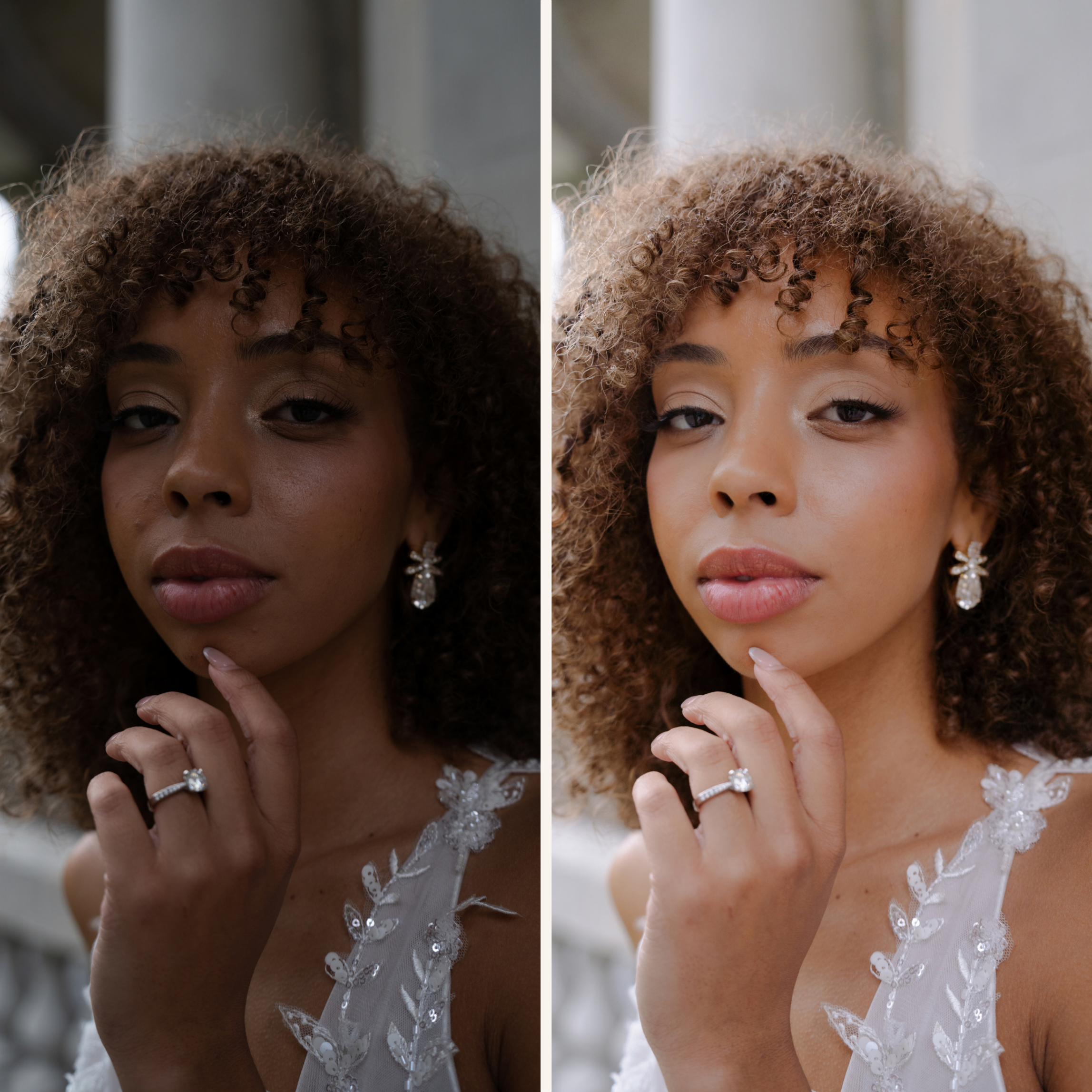
Soft warmth, natural skin tones, and a little golden glow. Honey was created for photographs that feel romantic and refined without losing the details that make them yours. It brings warmth to an image while keeping the overall edit gentle and timeless.
Designed in Adobe Lightroom, Honey is a starting point for portraits, bridal photographs, couples sessions, and other images made in natural light. Apply it to create a consistent look, then make a few adjustments for the lighting in each photo.
Your digital download is one ZIP file containing:
1 Honey preset in XMP format
1 PNG with download and installation instructions
Download the ZIP file and unzip it on your device. Follow the included PNG to import the XMP preset into Adobe Lightroom. Apply Honey to a photo, then adjust exposure and white balance as needed. Presets respond differently to each image, so these small finishing touches will help the edit feel right for your photo.
This is a digital product. No physical item will be shipped. Your purchase includes one preset and its PNG instructions; it does not include Adobe Lightroom or the sample photograph. Please check that your version of Lightroom supports XMP presets before purchasing.
Due to the digital nature of this product, all sales are final and refunds are not available after purchase. If you have trouble accessing the download or installing the preset, please reach out for help.
Soft warmth, natural skin tones, and a little golden glow. Honey was created for photographs that feel romantic and refined without losing the details that make them yours. It brings warmth to an image while keeping the overall edit gentle and timeless.
Designed in Adobe Lightroom, Honey is a starting point for portraits, bridal photographs, couples sessions, and other images made in natural light. Apply it to create a consistent look, then make a few adjustments for the lighting in each photo.
Your digital download is one ZIP file containing:
1 Honey preset in XMP format
1 PNG with download and installation instructions
Download the ZIP file and unzip it on your device. Follow the included PNG to import the XMP preset into Adobe Lightroom. Apply Honey to a photo, then adjust exposure and white balance as needed. Presets respond differently to each image, so these small finishing touches will help the edit feel right for your photo.
This is a digital product. No physical item will be shipped. Your purchase includes one preset and its PNG instructions; it does not include Adobe Lightroom or the sample photograph. Please check that your version of Lightroom supports XMP presets before purchasing.
Due to the digital nature of this product, all sales are final and refunds are not available after purchase. If you have trouble accessing the download or installing the preset, please reach out for help.