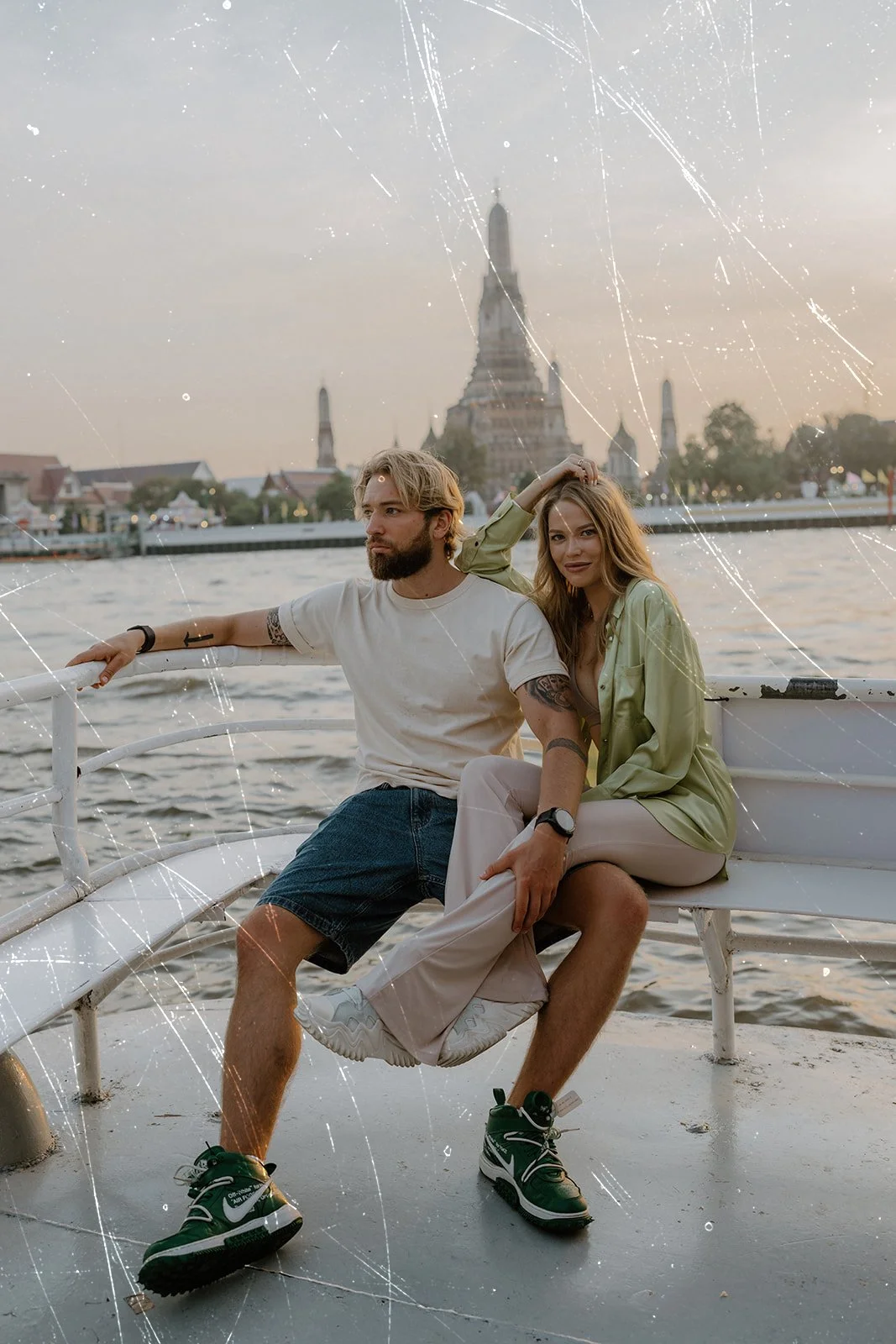
 Image 1 of 4
 Image 2 of 4
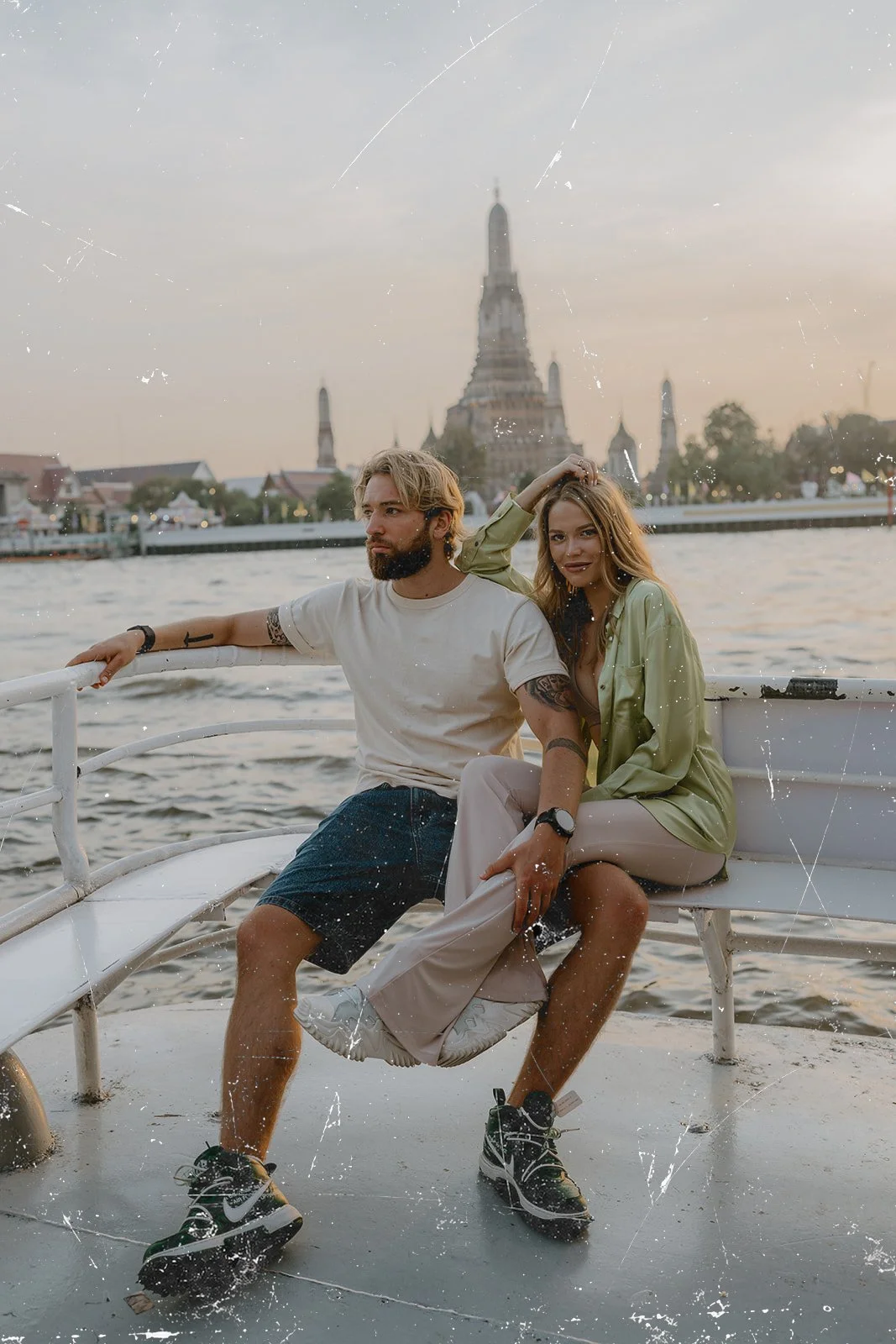 Image 3 of 4
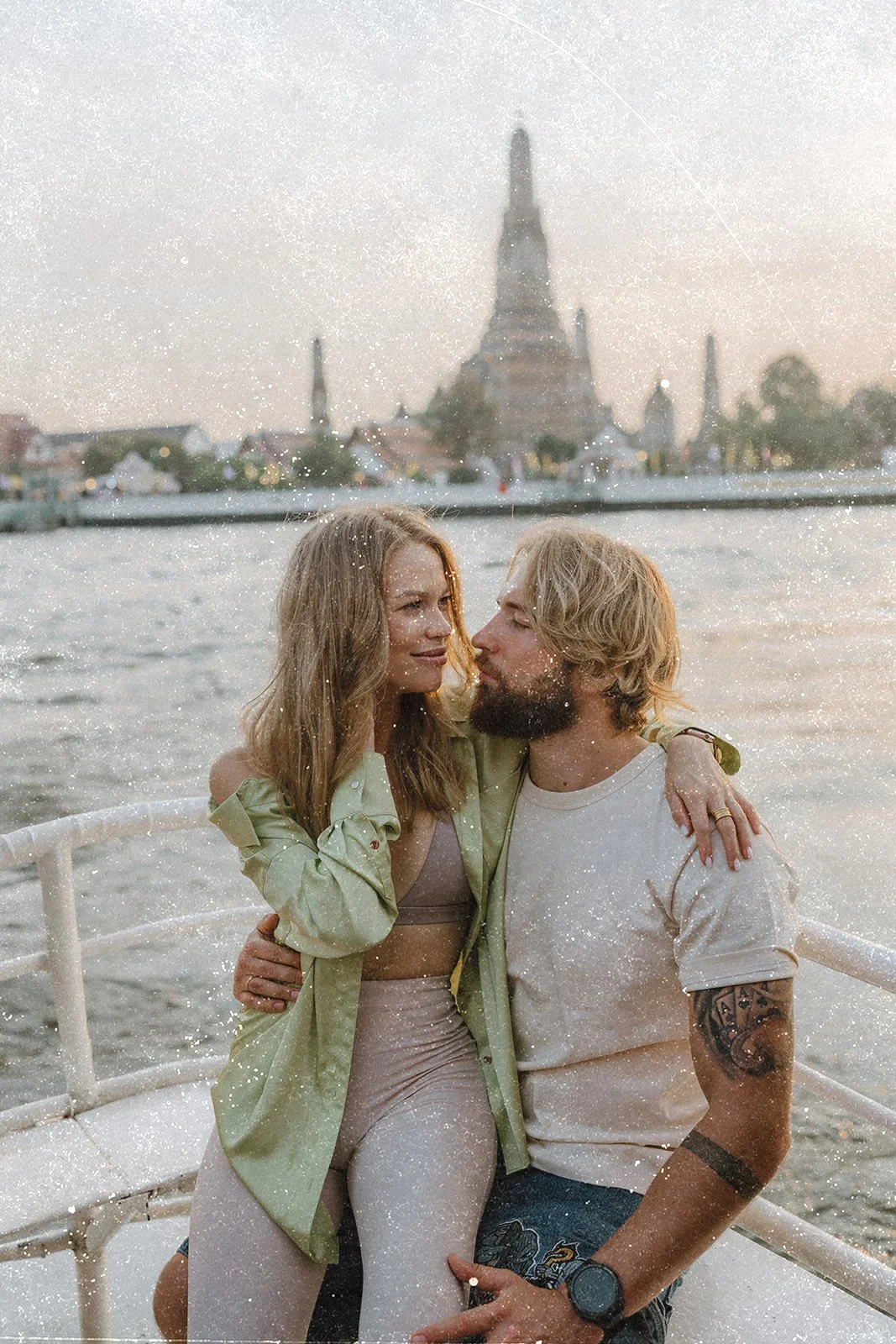 Image 4 of 4
Bring the imperfect beauty of vintage film into your digital photographs with The Archive, a collection of 17 high-resolution film texture overlays designed for photographers and creative artists.
Each overlay features a unique combination of authentic-looking film grain, dust, specks, scratches, emulsion marks, and subtle surface wear. The collection ranges from clean, minimal textures to heavier archival damage, giving you the flexibility to create anything from a delicate analog finish to a more expressive, cinematic look.
Perfect for wedding, fashion, portrait, lifestyle, and editorial photography.
WHAT’S INCLUDED
17 original film texture overlays
High-resolution 5500 × 4000 pixel files
Black-based textures for easy blending
A variety of grain, dust, scratches, and aged-film effects
Compatible with Photoshop and other layer-based editing programs
Designed for both color and black-and-white photography
HOW TO USE THE OVERLAYS
Open your photograph in Photoshop.
Place your chosen film overlay on a new layer above the photograph.
Resize the overlay to fit your image if needed.
Change the overlay’s blending mode to Screen or Lighten. This will remove the black background and reveal the film texture.
Lower the layer opacity to control the strength of the effect.
Use a layer mask to remove or soften the texture over faces, skin, or other areas where you want a cleaner finish.
For a more customized look, try rotating or flipping the overlay, layering multiple textures, adjusting the curves or exposure, or combining different overlays at lower opacities.
Every photograph is different, so experiment with the blending mode and opacity until the texture feels natural within your image.
PLEASE NOTE
This is a digital product. No physical item will be shipped. Due to the digital nature of this product, all sales are final.
NEED HELP?
If you have any questions about downloading or applying your overlays, feel free to reach out. I’m always happy to help!
Bring the imperfect beauty of vintage film into your digital photographs with The Archive, a collection of 17 high-resolution film texture overlays designed for photographers and creative artists.
Each overlay features a unique combination of authentic-looking film grain, dust, specks, scratches, emulsion marks, and subtle surface wear. The collection ranges from clean, minimal textures to heavier archival damage, giving you the flexibility to create anything from a delicate analog finish to a more expressive, cinematic look.
Perfect for wedding, fashion, portrait, lifestyle, and editorial photography.
WHAT’S INCLUDED
17 original film texture overlays
High-resolution 5500 × 4000 pixel files
Black-based textures for easy blending
A variety of grain, dust, scratches, and aged-film effects
Compatible with Photoshop and other layer-based editing programs
Designed for both color and black-and-white photography
HOW TO USE THE OVERLAYS
Open your photograph in Photoshop.
Place your chosen film overlay on a new layer above the photograph.
Resize the overlay to fit your image if needed.
Change the overlay’s blending mode to Screen or Lighten. This will remove the black background and reveal the film texture.
Lower the layer opacity to control the strength of the effect.
Use a layer mask to remove or soften the texture over faces, skin, or other areas where you want a cleaner finish.
For a more customized look, try rotating or flipping the overlay, layering multiple textures, adjusting the curves or exposure, or combining different overlays at lower opacities.
Every photograph is different, so experiment with the blending mode and opacity until the texture feels natural within your image.
PLEASE NOTE
This is a digital product. No physical item will be shipped. Due to the digital nature of this product, all sales are final.
NEED HELP?
If you have any questions about downloading or applying your overlays, feel free to reach out. I’m always happy to help!